
Google Cloud, migration

Our recent guide on how to plan a migration to Google Cloud covered the decisions that apply to any source platform: whether the migration pays off, which of Google’s six strategies fits each workload, the foundation, and the eight steps of the program. This second part is written for teams moving from AWS, and it covers the work that only an AWS estate brings.
The service names are the easy part of that work. EC2 maps to Compute Engine, S3 to Cloud Storage and RDS to Cloud SQL, and Google publishes a migration tool for most of them. The effort and the overruns sit where an AWS estate has no one-to-one equivalent. AWS Organizations and service control policies have to be rebuilt as a Google Cloud resource hierarchy with its own policies, IAM permissions are granted on resources and inherited down that hierarchy, and every terabyte that leaves S3 is billed at AWS's internet rate, starting at $0.09 per GB, unless the move is planned around AWS's exit waiver or Google's private transfer route.
This guide covers a service-by-service mapping with the migration tool and effort for each AWS service, the order in which to migrate each layer, and four similar AWS to Google Cloud projects Revolgy has recently worked on.
AWS to Google Cloud service mapping: equivalents, migration tools and effort
The table maps each AWS service to its Google Cloud equivalent, the tool that moves it and what that tool costs, what has to change in code or configuration, and the effort involved. Effort runs from a configuration change, through a partial refactor, to a rewrite of the application code or a redesign of the structure around it.
|
AWS service |
Google Cloud equivalent |
How it moves |
What has to change |
Effort |
|
AWS Organizations, OUs, accounts |
Organization, folders, projects |
Built new as the landing zone, in Terraform |
Account boundaries become project boundaries; billing, quotas and APIs are per project |
Redesign |
|
Service control policies |
Organization policies, IAM deny policies |
Rebuilt |
Guardrails become predefined constraints and deny rules |
Redesign |
|
IAM users, groups, IAM Identity Center |
Cloud Identity users and groups, federated from your identity provider |
Federation with the existing IdP |
Roles are granted to groups |
Configuration change |
|
IAM roles for workloads, instance profiles, IRSA |
Service accounts, Workload Identity Federation for GKE |
Rebuilt per workload |
Credential lookups in code, pod service account annotations |
Partial refactor |
|
IAM policy documents |
IAM roles, predefined or custom, granted at organization, folder, project or resource level |
Rebuilt |
Permissions inherit down the hierarchy |
Redesign |
|
KMS, Secrets Manager |
Cloud KMS, Secret Manager |
Keys and secrets re-created |
SDK calls for secret lookups |
Partial refactor |
|
VPC (regional) |
VPC (global, with regional subnets), Shared VPC |
Rebuilt |
Inter-region peering disappears inside one VPC |
Redesign |
|
Security groups, network ACLs |
VPC firewall rules and firewall policies |
Rebuilt |
Rules target network tags or service accounts |
Configuration change |
|
Transit Gateway |
Network Connectivity Center |
Rebuilt |
Hub-and-spoke routing |
Configuration change |
|
Direct Connect, Site-to-Site VPN |
Cloud Interconnect, Cross-Cloud Interconnect, HA VPN |
New connection |
Routing and BGP sessions |
Configuration change |
|
Elastic Load Balancing |
Cloud Load Balancing |
Rebuilt, or created by GKE Ingress and Gateway |
ALB listener rules become URL maps |
Configuration change |
|
Route 53 |
Cloud DNS |
Zone export and import |
Records and routing policies |
Configuration change |
|
CloudFront, AWS WAF, Shield |
Cloud CDN, Cloud Armor |
Rebuilt |
WAF rules rewritten as Cloud Armor policies |
Configuration change |
|
EC2 |
Compute Engine |
Migrate to Virtual Machines, no service charge |
Machine types, adapted during replication |
Configuration change |
|
Auto Scaling groups |
Managed instance groups |
Rebuilt |
Launch templates become instance templates |
Configuration change |
|
EBS |
Persistent Disk, Hyperdisk |
Moves with Migrate to Virtual Machines |
Disk types |
Configuration change |
|
EKS |
GKE Autopilot or Standard |
Workloads redeployed from refactored manifests |
IRSA, ingress, storage classes, registry URLs |
Partial refactor |
|
ECS, Fargate |
Cloud Run or GKE Autopilot |
Containers redeployed |
Task definitions become service definitions |
Partial refactor |
|
ECR |
Artifact Registry |
Image copy |
Registry URLs in manifests and pipelines |
Configuration change |
|
Lambda |
Cloud Run services, jobs and functions |
Rewritten triggers and packaging |
Event sources move to Eventarc, Pub/Sub, Cloud Tasks or Cloud Scheduler |
Rewrite |
|
Step Functions |
Workflows |
Rewritten |
Workflow definitions |
Rewrite |
|
EventBridge |
Eventarc, Cloud Scheduler |
Rewritten |
Events use the CloudEvents format |
Rewrite |
|
SQS, SNS |
Pub/Sub, Cloud Tasks |
Rewritten |
Producers and consumers |
Rewrite |
|
S3 |
Cloud Storage |
Storage Transfer Service, free for agentless transfers; managed private network billed per GiB |
S3 SDK calls, or an interim switch to the Cloud Storage XML API |
Partial refactor |
|
EFS |
Filestore |
File copy |
Mount targets |
Configuration change |
|
RDS and Aurora MySQL |
Cloud SQL for MySQL |
Database Migration Service, continuous, no charge |
Connection strings |
Configuration change |
|
RDS and Aurora PostgreSQL |
Cloud SQL for PostgreSQL or AlloyDB |
Database Migration Service, continuous, no charge |
Connection strings |
Configuration change |
|
RDS for SQL Server |
Cloud SQL for SQL Server |
Database Migration Service or backup files |
Connection strings |
Configuration change |
|
DynamoDB |
Spanner, Bigtable or Firestore |
Export to S3, batch import and streaming replication with Dataflow |
Data access layer and schema |
Rewrite |
|
ElastiCache |
Memorystore |
Cache rebuilt |
Endpoints |
Configuration change |
|
Redshift |
BigQuery |
BigQuery Data Transfer Service, BigQuery SQL translator |
SQL dialect and the cost model |
Redesign |
|
CloudWatch, X-Ray |
Cloud Monitoring, Cloud Logging, Cloud Trace |
Rebuilt |
Dashboards and alerts |
Configuration change |
|
CloudFormation |
Terraform, run directly or through Infrastructure Manager |
Rewritten |
Every template |
Rewrite |
|
CodePipeline, CodeBuild |
Cloud Build, Cloud Deploy, or existing GitHub or GitLab CI |
Rebuilt |
Pipeline definitions |
Partial refactor |
|
Cognito |
Identity Platform |
User export and import |
Authentication flows |
Rewrite |
How to migrate from AWS to Google Cloud, step by step
The layers move in the order their dependencies allow. Governance and identity come first, then the network link between the two clouds, then data, which is replicated early so the cutover only has to absorb the last changes, and compute last. Wave planning, rollback triggers and decommission dates follow the method in the planning guide; the steps below cover what changes when the source is AWS.
Step 1: Translate AWS Organizations, SCPs and IAM into the landing zone
Start from the AWS Organizations tree.
- Organizational units usually become folders, and each AWS account becomes one or more projects, split by workload and environment.
- Service control policies have no single equivalent, so translate each one by intent: restrictions on regions, services or resources.
IAM needs the most care, because the model is completely reversed. In AWS, a policy document is attached to a user, group or role and lists the resources and actions it allows. In Google Cloud, a role is granted to a principal on a resource, and every resource below that point inherits the grant. Federate your identity provider into Cloud Identity and grant roles to groups. Turn each AWS role that a workload assumes, through an instance profile or IRSA, into a dedicated service account, and use Workload Identity Federation for GKE so pods authenticate without keys.
Write the landing zone in Terraform from the first commit. CloudFormation templates don't convert, and Google's own Deployment Manager reached end of support on March 31, 2026. Wonderful Payments used to deploy AWS resources manually. After moving to a Terraform-defined Google Cloud landing zone with Revolgy, its infrastructure scales through payment spikes without manual intervention and every environment is reproducible from code.
Step 2: Connect AWS and Google Cloud for the migration window
A Google Cloud VPC is global, with regional subnets that reach each other without peering, so a multi-region AWS network built on several VPCs and a Transit Gateway often collapses into one VPC, shared across projects. Security groups become firewall rules and firewall policies, which target network tags or service accounts instead of instance attachments.
The two clouds need a private link while data replicates. HA VPN is enough for modest replication volumes, but for large estates or long replication windows, Cross-Cloud Interconnect provides a dedicated connection to AWS at 10, 100 or 400 Gbps. Before either side is built, allocate IP ranges that don't overlap with the AWS VPCs, including the secondary ranges GKE needs for pods and services.
Step 3: Migrate Amazon S3 to Cloud Storage
Storage Transfer Service copies from S3 to Cloud Storage without agents, and Google charges nothing for the transfer itself. Run the first full copy early, then repeat incremental runs, which skip objects that already match, until the final sync at cutover.
Applications don't have to switch SDKs on cutover day. Cloud Storage accepts S3-style requests through its XML API: change the endpoint to storage.googleapis.com and replace the AWS keys with an HMAC key tied to a service account. Treat this as a bridge and plan the move to Cloud Storage client libraries, because organization policy can block HMAC keys and not every S3 feature has an equivalent. Recreate storage classes and lifecycle rules in the destination, since their names and options differ.
Step 4: Migrate RDS and Aurora to Cloud SQL or AlloyDB
Database Migration Service replicates continuously from RDS and Aurora for MySQL and PostgreSQL into Cloud SQL or AlloyDB, and same-engine migrations carry no migration charge. Choose Cloud SQL for general transactional workloads and AlloyDB for PostgreSQL workloads that mix heavy transactions with analytical queries. A move to a different engine is billed per GiB of data processed.
Most failed jobs trace back to the source. For RDS and Aurora MySQL, Google's source checklist requires GTID mode set to ON or OFF, InnoDB tables (convert any MyISAM tables first), a review of DEFINER clauses, and a dedicated migration user. PostgreSQL sources need logical replication enabled, which on RDS and Aurora is a parameter group change that requires a restart, so schedule it early. Database users and logins don't migrate, so recreate them in the destination.
While AWS is still the primary, rolling back means stopping replication. Once Google Cloud takes writes, a rollback has to carry those writes back to AWS.
Step 5: Migrate Redshift to BigQuery
The BigQuery Data Transfer Service migrates schema and data from Redshift, and the BigQuery SQL translator converts Redshift SQL. The larger change is the cost model here as Redshift bills provisioned nodes or serverless capacity, while BigQuery bills on-demand queries by the bytes they process, or by reserved slots. Review the heaviest queries during the move and sort keys need partitioning and clustering in BigQuery to keep scan volumes down.
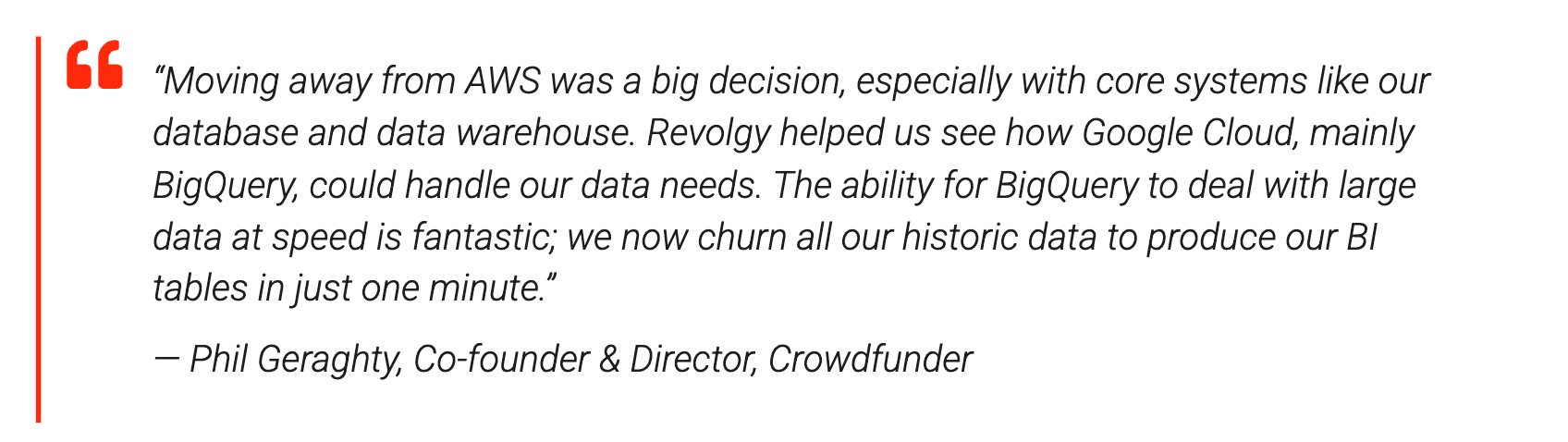
Crowdfunder, a UK fundraising platform, ran a proof of concept on BigQuery with Revolgy to test whether its Redshift workloads were worth moving. They were: key tables now load daily, Dataform handles the transformations, and Gemini in BigQuery matches more than 9,000 live projects to donor funds. The BI tables that previously took hours now rebuild in one minute.
Step 6: Migrate EC2, EKS and Lambda, and rewrite what has no equivalent
- EC2: Migrate to Virtual Machines replicates EC2 instances to Compute Engine while they keep running, and lets you test clones before cutover. The service has no charge for migrations into Google Cloud, but AWS bills the EC2 instances, EBS volumes and network traffic used during replication.
- EKS: The cluster moves as refactored manifests redeployed to GKE, and four changes come up in almost every move. IRSA becomes Workload Identity Federation for GKE. Ingress objects written for the AWS Load Balancer Controller move to GKE Ingress or the Gateway API. Storage classes point to Persistent Disk or Hyperdisk. Image references move from ECR to Artifact Registry. Choose between GKE Autopilot, where Google manages nodes and bills for the resources pods request, and GKE Standard, where your team manages node pools. GKE charges $0.10 per cluster per hour, and a monthly credit of $74.40 per billing account covers one Autopilot or zonal cluster.
A UK AI software company serving regulated industries took this path with Revolgy when enterprise customers required its platform to run on Google Cloud. Its 19 microservices, written in Node.js and Go, ran on EKS, and its engineers specialized in AWS. Revolgy rebuilt the platform on GKE Autopilot in six weeks, defined entirely in Terraform. With about 80% of the infrastructure in Autopilot, the existing team maintains it without hiring Google Cloud engineers.
- Lambda: As you migrate Event-driven and HTTP functions become Cloud Run services, and scheduled or batch functions become Cloud Run jobs. But, the concurrency model changes as Lambda runs one request per instance, while a Cloud Run instance serves many at once, which lowers cost for most HTTP workloads. SQS and SNS triggers move to Pub/Sub, asynchronous invocation to Cloud Tasks, schedules to Cloud Scheduler, and other events to Eventarc.
- Services with no direct equivalent: DynamoDB, SQS and SNS, and Step Functions need their producers, consumers and data access code rewritten, so plan them as development work with their own testing time. DynamoDB moves to Spanner, Bigtable or Firestore depending on the access pattern. Google's DynamoDB to Spanner guide exports the table to S3, imports it with a Dataflow batch job, and replicates ongoing changes through DynamoDB Streams, Pub/Sub and a streaming Dataflow job, with the pipeline code adapted to your data model.
Step 7: Shift traffic gradually and decommission AWS
The cutover follows the sequence in the planning guide, with two parts specific to AWS. For services that can run in both clouds at once, a global external Application Load Balancer can send a share of traffic to hybrid connectivity network endpoint groups that point back at the AWS workloads, so the share moving to Google Cloud rises in steps instead of switching at once.
AWS cleanup is the second part. Once each wave's rollback deadline passes, remove the resources that keep billing after the workloads are gone, such as NAT gateways, unattached EBS volumes, idle Elastic IP addresses and old snapshots. Export the CloudTrail logs you need for compliance before closing accounts. If the move uses AWS's exit waiver, finish within its time window.
Get expert help with your AWS to Google Cloud migration
A guide can map the services, but it can't tell you which of your services are configuration changes and which are rewrites, or what your own data exit will cost. Overall, migration is a very crucial process which can run for weeks or months depending on the expertise.
Revolgy is a Google Cloud Premier Partner with 25 years in the cloud and more than 40 certifications. Here’s a quick glance at some of our recent Google migration projects:
|
Customer |
Starting point on AWS |
What Revolgy did |
Result |
|
Manually deployed AWS resources, PHP and Laravel workloads, Aurora MySQL |
Managed migration to Cloud Run and Cloud SQL on a Terraform landing zone, with mentoring for the team |
Automatic scaling through payment spikes on repeatable, code-defined infrastructure |
|
|
Redshift data warehouse loaded nightly from MariaDB and Segment |
Proof of concept on BigQuery with Dataform and Gemini in BigQuery |
BI tables built from all historic data in one minute; AI matching across 9,000+ projects |
|
|
Two EKS clusters in two regions, 21 RDS PostgreSQL databases, S3 and SQS |
Designed the Google Cloud architecture and reviewed the team's own design |
A setup the company reports as cheaper to run than its AWS environment |
|
|
UK AI software company serving regulated industries |
19 Node.js and Go microservices on EKS, a team specialized in AWS |
Rebuilt the platform on GKE Autopilot in six weeks, fully defined in Terraform |
The full platform deploys for a new client in about 30 minutes, and the existing team runs it without new Google Cloud hires |
A typical engagement runs in three phases:
- Assessment and mapping: we inventory the AWS estate, classify each service as a configuration change, refactor or rewrite, and choose the route for data leaving AWS.
- Landing zone and data: we translate AWS Organizations, SCPs and IAM into a Google Cloud hierarchy in Terraform, connect the two clouds, and start replicating storage and databases.
- Migration and exit: we plan, prioritize and execute the migration across all the different services on schedule.
Get a free consultation with a senior Google Cloud architect. Talk to Revolgy experts now.

Frequently asked questions
1. What is the Google Cloud equivalent of an AWS IAM role?
An IAM role that a workload assumes in AWS becomes a service account in Google Cloud, while the permissions in an AWS IAM policy become Google Cloud IAM roles granted on a resource. Grants made on an organization, folder or project are inherited by everything beneath it. On GKE, Workload Identity Federation for GKE replaces IRSA so that pods act as a service account without keys.
2. Can I use the S3 SDK with Google Cloud Storage?
Yes, Cloud Storage accepts S3-style requests through its XML API when you change the endpoint to storage.googleapis.com and authenticate with an HMAC key. Use it as an interim step: not every S3 feature has an equivalent, and organization policy can block HMAC keys, so plan the move to Cloud Storage client libraries.
3. Can I migrate DynamoDB to Google Cloud?
Yes, DynamoDB can move to Spanner, Bigtable or Firestore depending on the access pattern, but there is no one-step managed tool. Google's documented path to Spanner exports the table to S3, imports it with Dataflow and replicates ongoing changes through DynamoDB Streams and Pub/Sub. The application's data access layer is rewritten for the new database.
4. How do I migrate Amazon EKS to GKE?
You migrate EKS to GKE by redeploying refactored Kubernetes manifests to a new GKE cluster and shifting traffic once the workloads are validated. The usual changes are IRSA to Workload Identity Federation for GKE, AWS Load Balancer Controller ingress to GKE Ingress or Gateway, storage classes to Persistent Disk or Hyperdisk, and ECR image references to Artifact Registry.
5. What tools does Google provide to migrate from AWS?
Google provides Migration Center for discovery and cost assessment, Migrate to Virtual Machines for EC2, Database Migration Service for RDS and Aurora, Storage Transfer Service for S3, and the BigQuery Data Transfer Service for Redshift.


